Audit and Fix Zabbix Host Macros at Scale
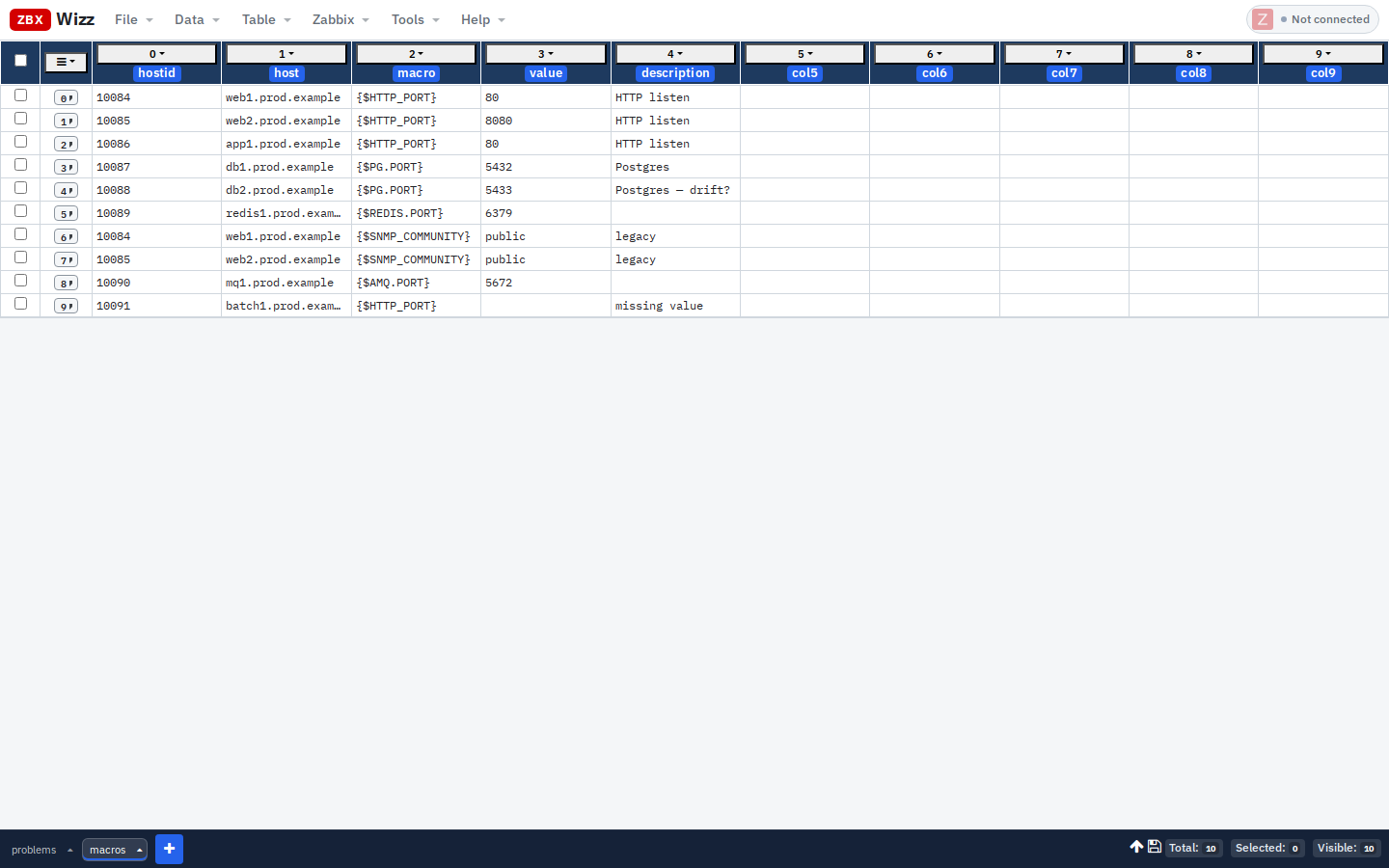
Host macros ({$HTTP_PORT}, {$SNMP_COMMUNITY}, {$PG.PORT}, …) are where standards go to die quietly:
- One host still on
8080after the fleet moved to80 - Empty values that only fail at discovery time
- Legacy
{$SNMP_COMMUNITY}=publiclingering on “temporary” boxes
The Zabbix UI shows macros per host. Auditing hundreds means either patience or an API dump. ZbxWizz turns usermacro.get into a filterable sheet, then usermacro.update into a Push you can preview.
What you’ll do
Import usermacro (or Pull macros onto hosts)
        → Filter / sort / flag anomalies
        → Fix values in the sheet (or Transform)
        → Push usermacro.update on selected rows
1. Import host macros
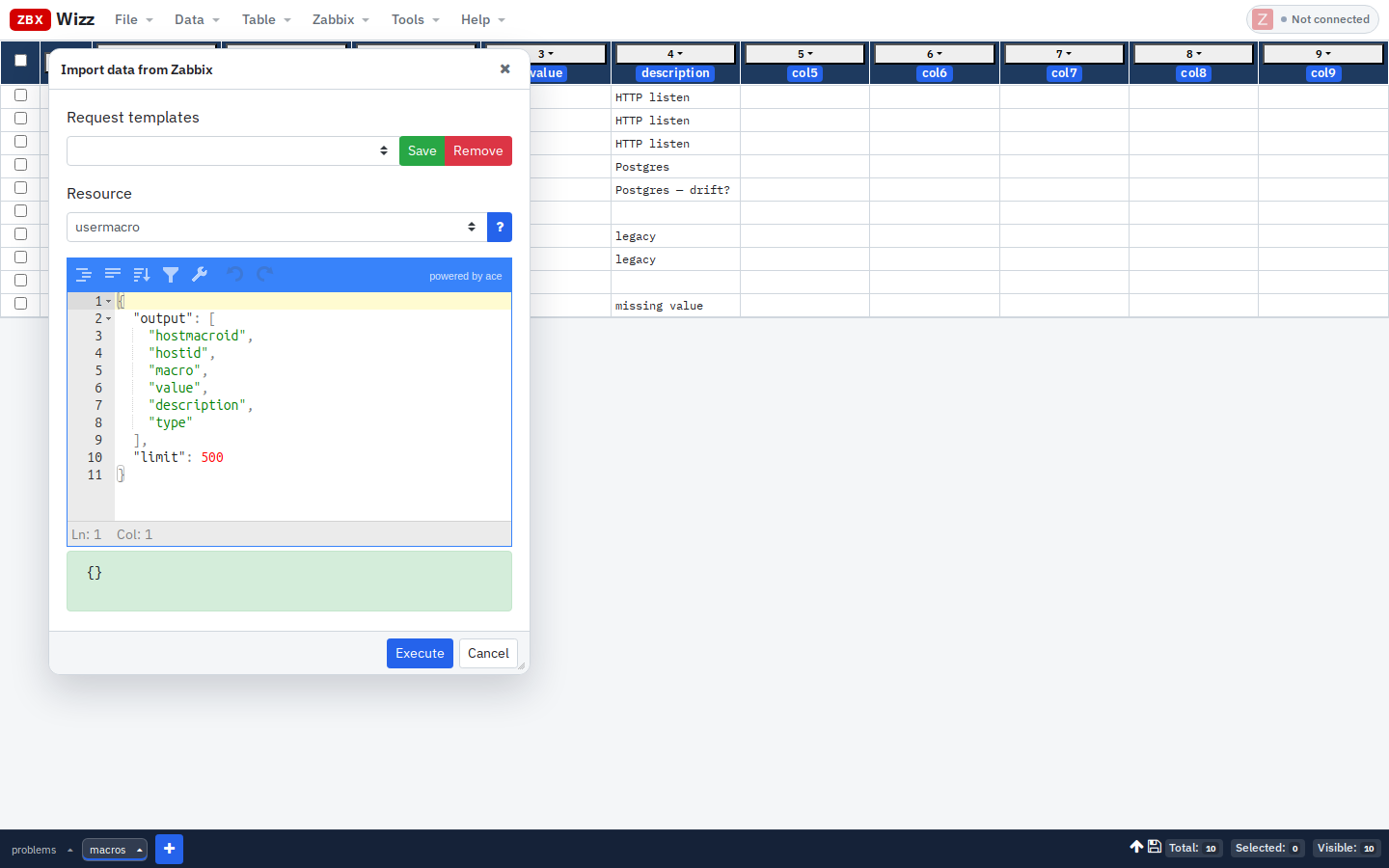
Connect to Zabbix, then Data → Import → From Zabbix · Resource: usermacro:
{
  "output": ["hostmacroid", "hostid", "macro", "value", "description", "type"],
  "limit": 500
}
Raise limit for large estates. Save the request as a template — you will reuse it.
Optional: import host on a second sheet and join visually (sort both by hostid), or Pull host names onto the macros sheet later.
2. Make the audit readable
Useful moves in the table:
| Goal | How |
|---|---|
| One macro type | Column filter on macro · Equals · {$HTTP_PORT} |
| Empty values | Filter value empty / missing |
| Spot outliers | Sort by macro then value |
| Human clocks N/A | Macros are strings — compare as text |
Add a helper column with Transform, e.g. flag non-standard HTTP ports:
flds.macro === "{$HTTP_PORT}" && flds.value !== "80" ? "REVIEW" : ""Then filter REVIEW and export CSV for the change ticket.
3. Enrich with hostnames (optional Pull)
If the macros sheet only has hostid:
- Keep
hostidon each row - Zabbix → Pull · Resource
host· Labelhostinfo
{
  "hostids": ["${flds.hostid}"],
  "output": ["host", "name"],
  "limit": 1
}- Transform a
hostnamecolumn:
data.hostinfo && data.hostinfo[0] ? data.hostinfo[0].host : ""4. Fix values and Push
Edit cells inline, or Transform a whole filtered set (e.g. set {$HTTP_PORT} → 80).
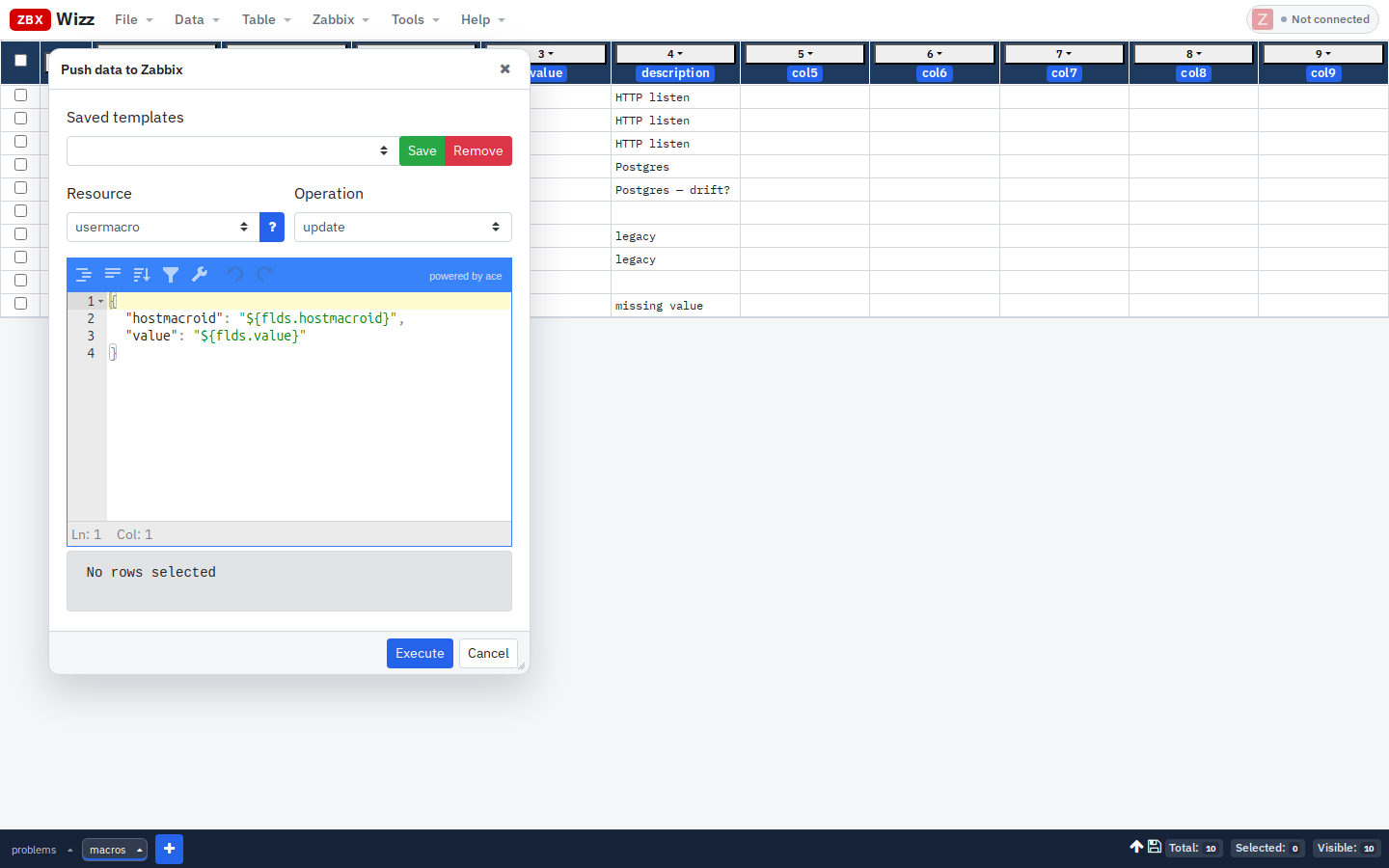
Then select the rows to write → Zabbix → Push · Resource: usermacro · Operation: update:
{
  "hostmacroid": "${flds.hostmacroid}",
  "value": "${flds.value}"
}
Rules:
- You need
hostmacroidfrom the import (do not invent IDs) - One test row first; Sequential mode
- File → Save before wide updates
- Creating brand-new macros uses
createwithhostid+macro+value— different template; mirror a known-good API example for your Zabbix version
5. Global macros vs host macros
| Type | API resource (typical) | When |
|---|---|---|
| Host / template macros | usermacro |
Per-host overrides, template macros depending on version/context |
| Global macros | Often managed as usermacro with global scope in newer APIs — check your version docs |
Org-wide defaults |
Always confirm the object type in the Zabbix API reference for your release before a mass Push.
Campaign checklist
- [ ] Import with explicit
limit - [ ] Filter to one macro name at a time
- [ ] Export selected anomalies for review
- [ ] Push 1 → verify in UI → Push rest
- [ ] Re-import a sample to confirm values stuck
Related: Mass update tags and groups · Client-side vs server scripts
— Sergiu, Creator of ZbxWizz