Mass Update Host Tags and Groups in Zabbix
API Made Visual
Reorganizing monitoring ownership usually means the same three pain points:
- Tags out of sync (
env,team,sla,owner…) - Host groups that no longer match reality
- Doing both for hundreds or thousands of hosts without breaking production
The Zabbix frontend mass-update helps a little. One-off scripts help until the next campaign needs a different filter. ZbxWizz sits in the middle: a spreadsheet of hosts, JavaScript column transforms, then a Push template that calls host.update only on the rows you selected.
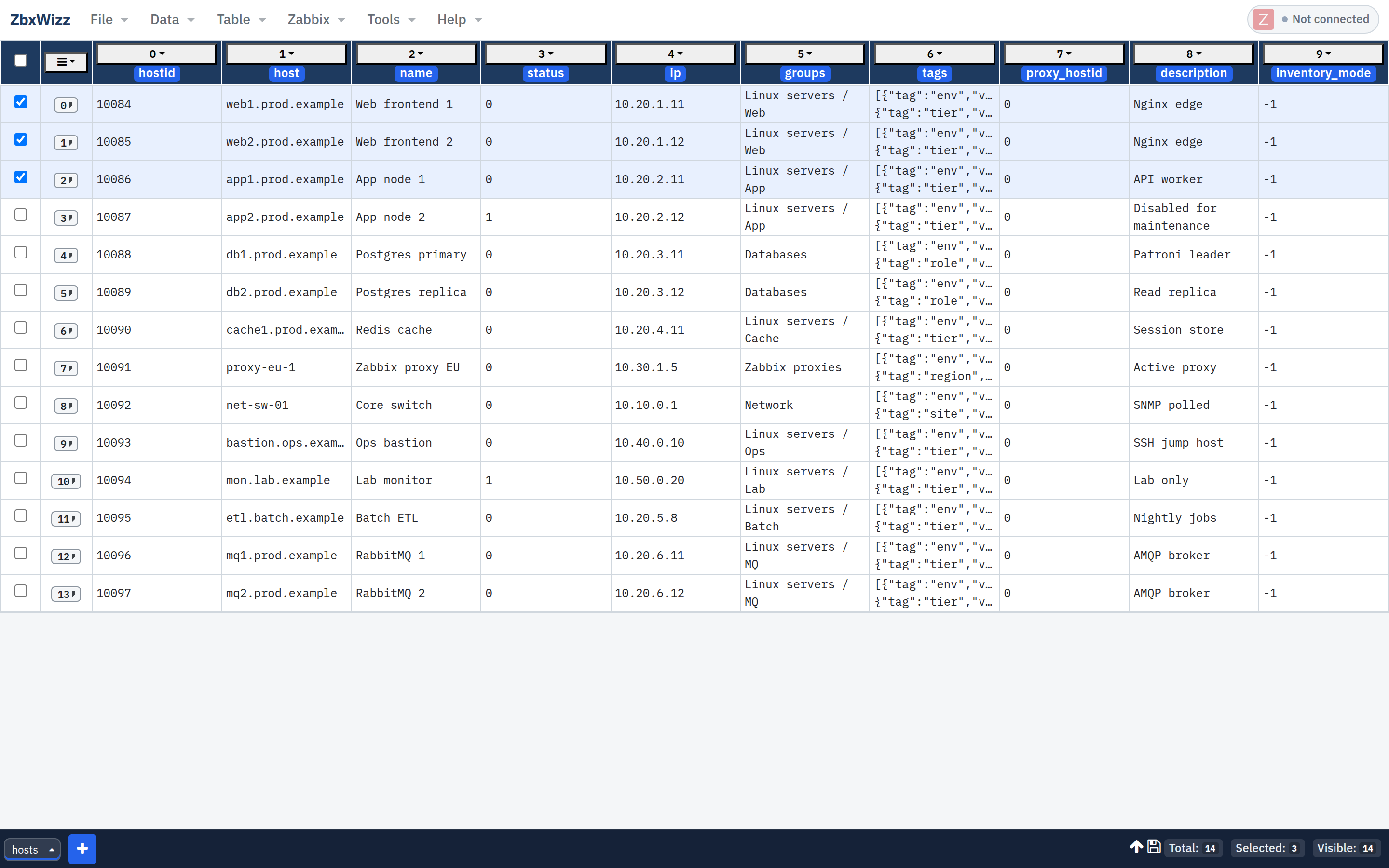
This is the workflow behind the cleanup story in Why I Built ZbxWizz — written as a repeatable how-to.
Mental model
Import hosts (+ tags / groups)
        ↓
Filter to the subset that needs change
        ↓
Transform tags / groupid columns
        ↓
Select visible rows → Push host.update
Pull and Push only touch rows that are both selected and visible. Filters are your safety rail.
1. Connect and import hosts
Configure the API connection (logo top-right). Prefer Sequential while testing updates.
Then Data → Import → From Zabbix · Resource: host:
{
  "limit": 500,
  "output": ["hostid", "host", "name", "status"],
  "selectTags": ["tag", "value"],
  "selectHostGroups": ["groupid", "name"]
}
Always set an explicit limit. If you omit it, ZbxWizz injects limit: 5 as a safety default.
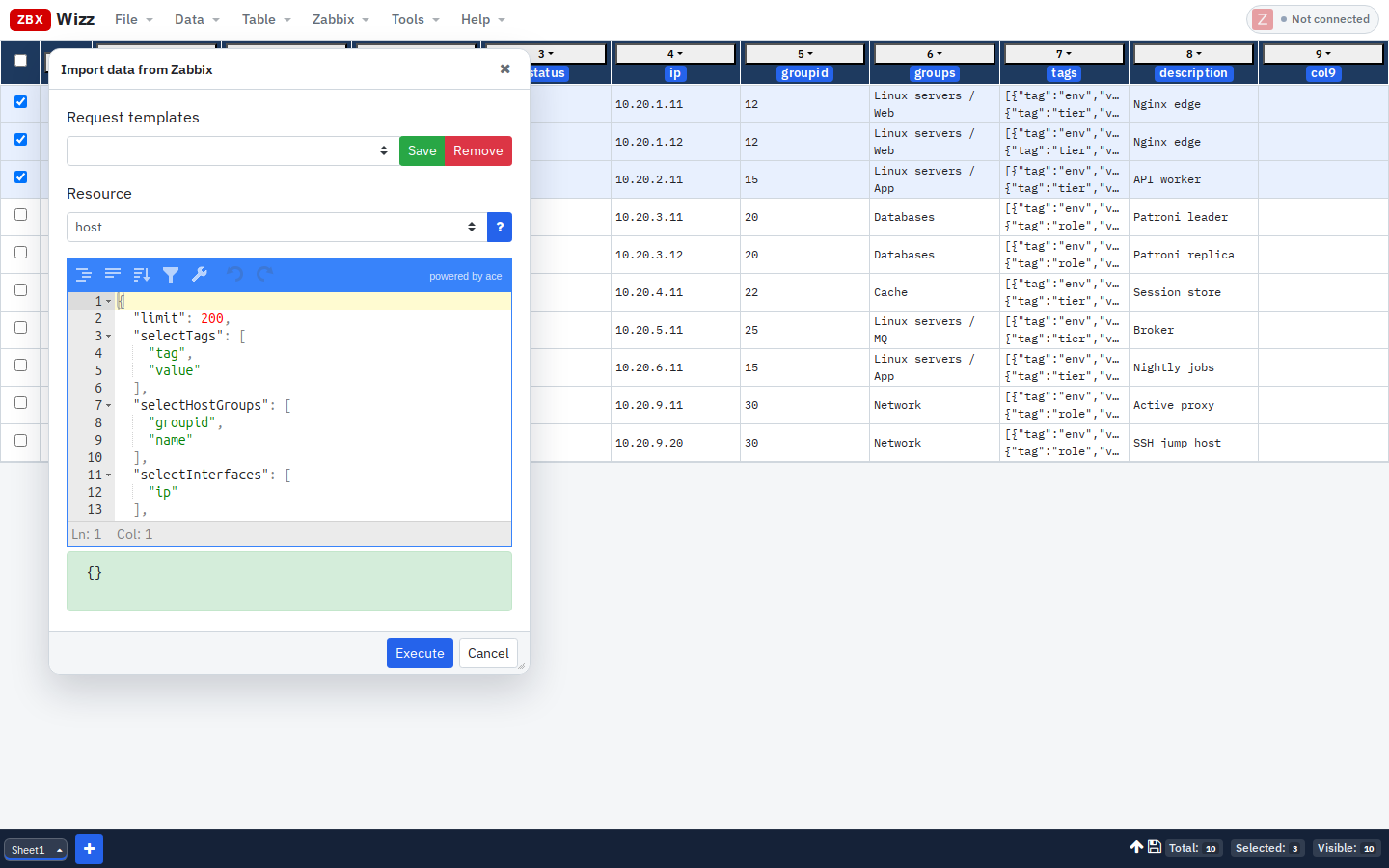
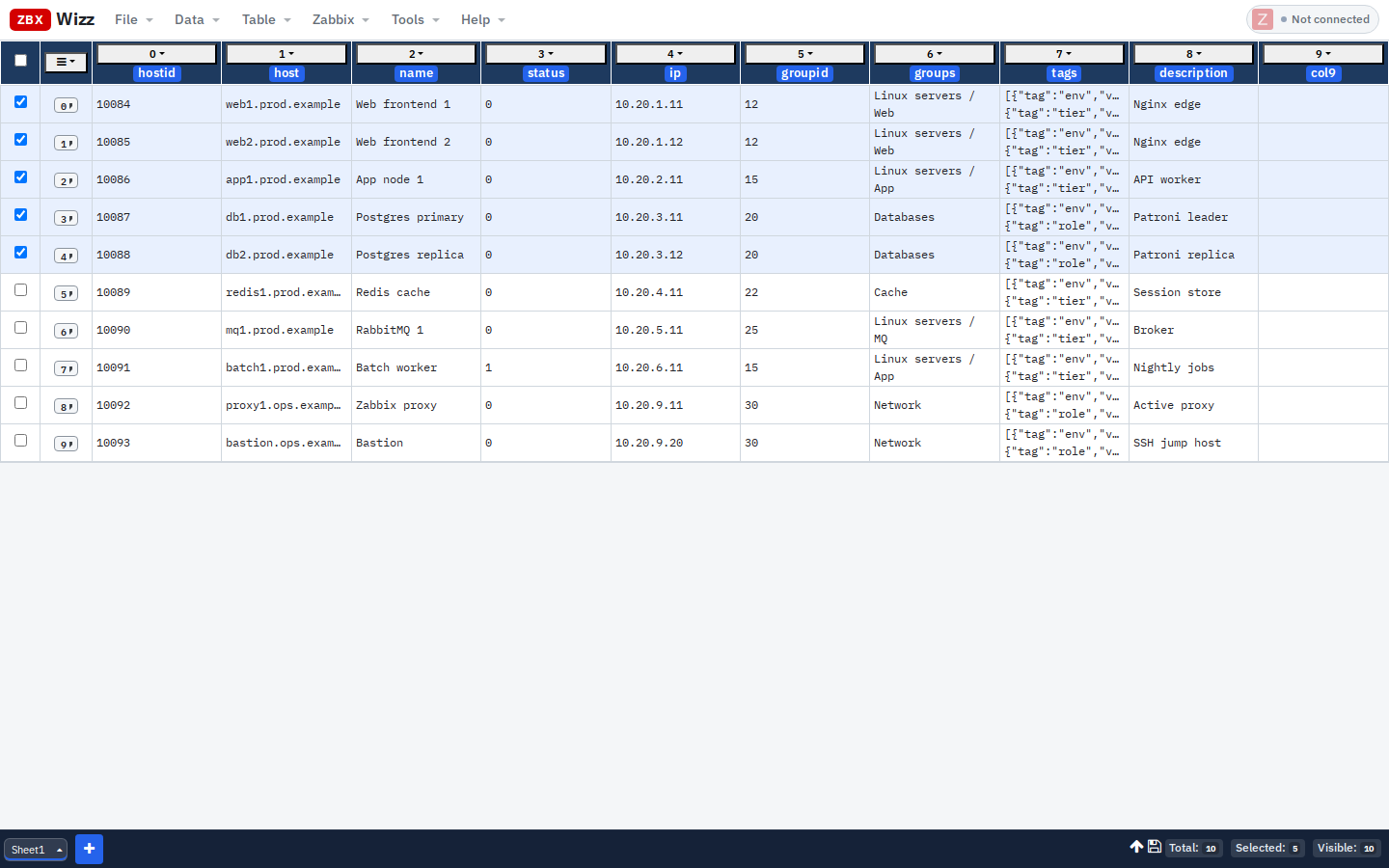
Nested fields land as JSON strings in cells (and as data.csv on the row for transforms).
Narrow the set with column filters — e.g. tag contains prod, or group name contains Web — before you touch anything.
2. Mass-add a tag
Goal: append {"tag":"reviewed","value":"2026-08-25"} to every visible host without wiping existing tags.
- Open the column menu on tags → Transform
- Expression:
json(obj(data.csv.tags).concat({"tag":"reviewed","value":"2026-08-25"}))Or, if you are transforming the tags cell itself:
json(obj(flds.tags).concat({"tag":"reviewed","value":"2026-08-25"}))- Check the preview on the first row → Apply
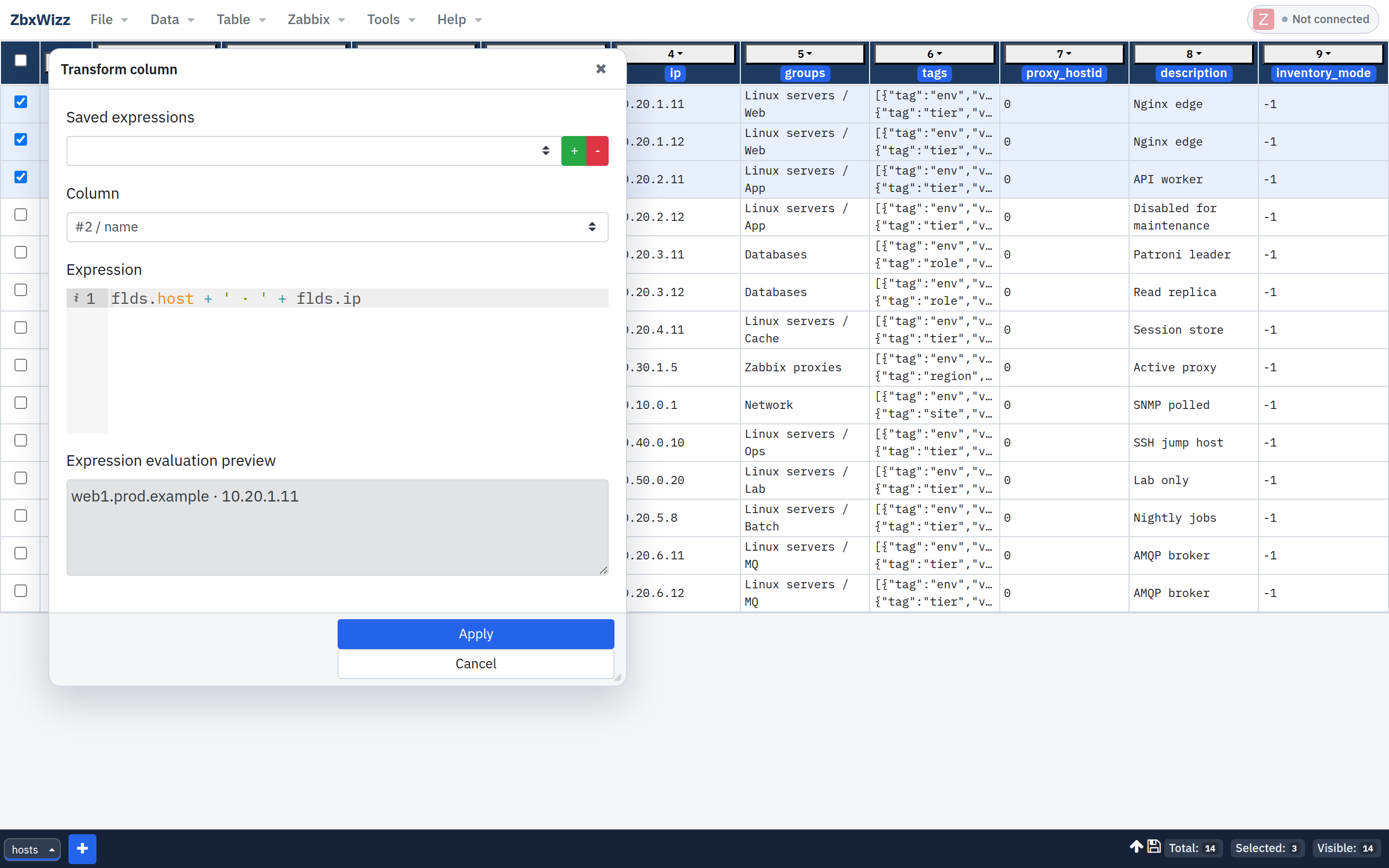
obj(...) parses the JSON string; concat keeps prior tags; json(...) writes the array back as a cell value Push can inject.
Replace a tag value instead
Example: force env=prod while keeping other tags:
json(
  obj(data.csv.tags)
    .filter(t => t.tag !== "env")
    .concat({"tag":"env","value":"prod"})
)
3. Push the tag update
- Select the rows (header checkbox = all visible)
- Zabbix → Push · Resource:
host· Operation:update - Template (set the tags column index to match your sheet — here column 7):
{
  "hostid": "${flds.hostid}",
  "tags": ${cols[7]}
}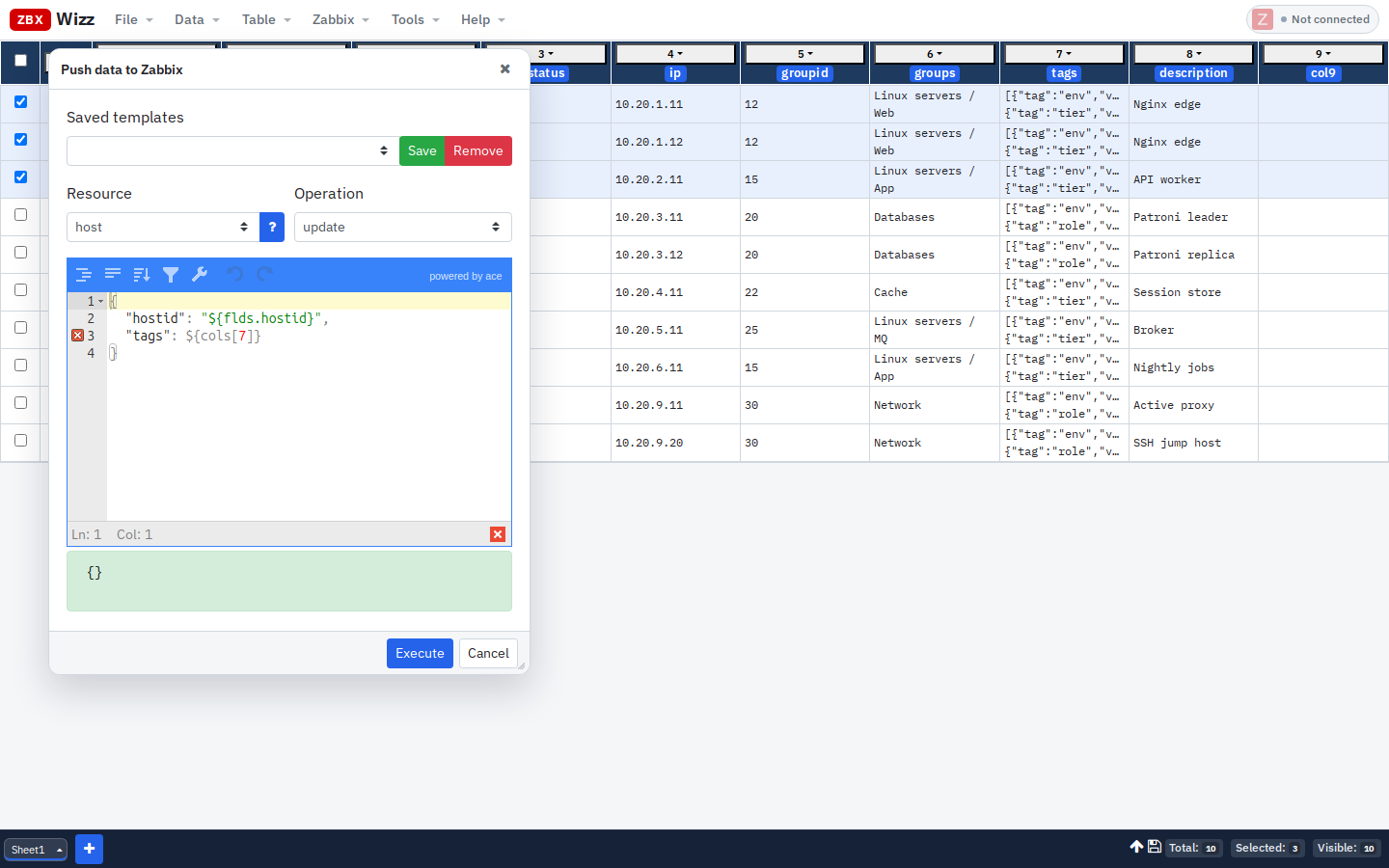
Important: ${cols[7]} has no quotes around it — the cell already holds JSON. "${flds.hostid}" stays quoted as a string.
Preview one row → Confirm → Execute. Spot-check a host in the Zabbix UI.
4. Mass-assign host groups
host.update with groups replaces the host’s group membership with the list you send. Plan the full set of groupids you want, not a single “add this group” delta (unless your process intentionally resets membership).
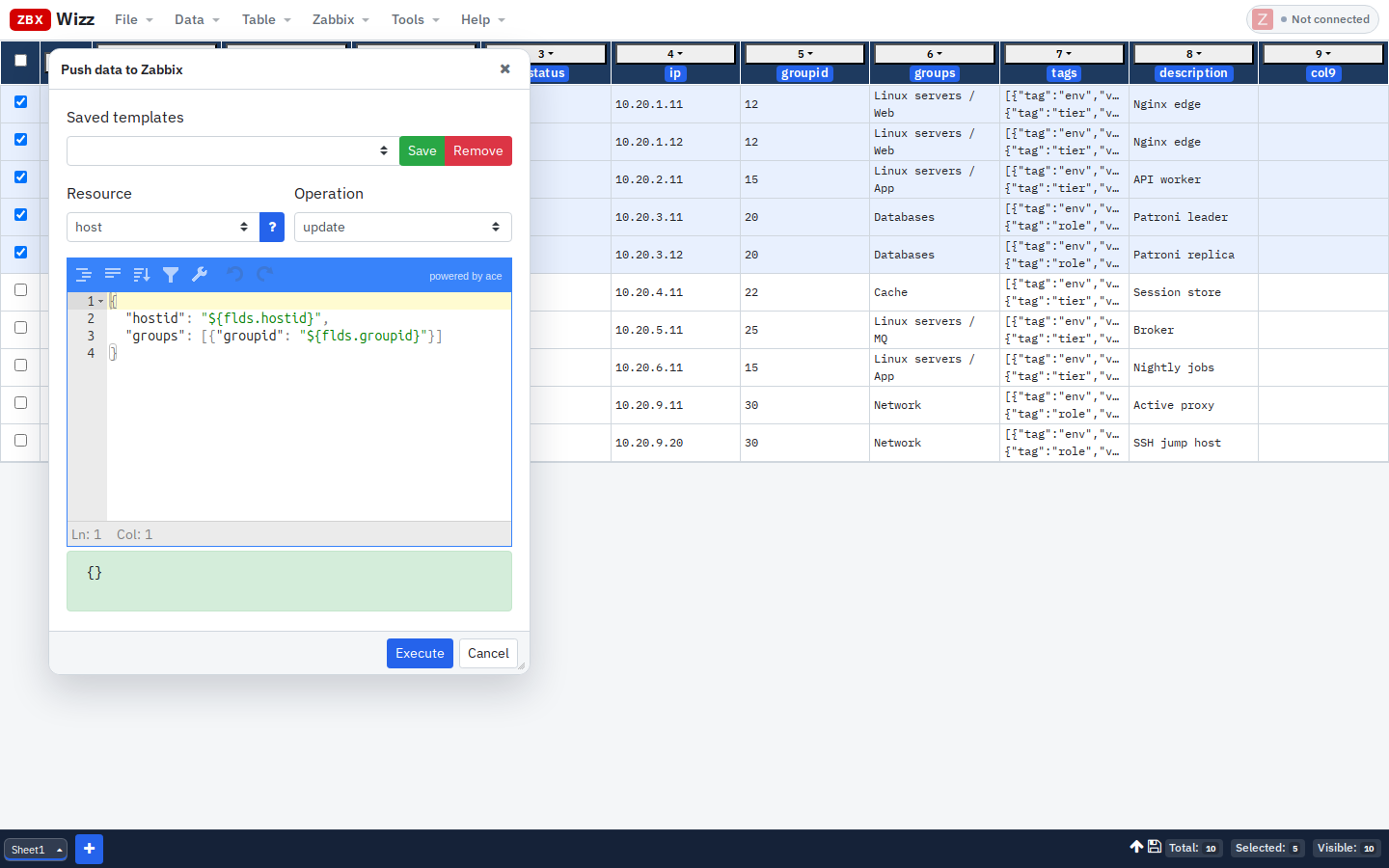
Option A — single group from a column
If the sheet has groupid:
{
  "hostid": "${flds.hostid}",
  "groups": [{"groupid": "${flds.groupid}"}]
}
Transform groupid first if you are remapping (e.g. all filtered hosts → group 15):
"15"Option B — multiple groups as JSON
Transform a groups column into:
json([
  {"groupid": "12"},
  {"groupid": "40"}
])
Push:
{
  "hostid": "${flds.hostid}",
  "groups": ${cols[YOUR_GROUPS_COL]}
}
Resolve group names → IDs
- Import
hostgroupinto a second sheet - On the hosts sheet, use a cross-sheet lookup (see examples) or paste IDs from a known map
Never guess numeric IDs on production.
5. Tags and groups in one Push
You can combine fields in a single host.update:
{
  "hostid": "${flds.hostid}",
  "tags": ${cols[7]},
  "groups": [{"groupid": "${flds.groupid}"}]
}
Still: one test row first. Group replacement is easy to get wrong at scale.
Practical campaign pattern
| Step | Action |
|---|---|
| 1 | File → Save before-tag-migration.json |
| 2 | Import with a tight filter (tags, groupids, or name regex) |
| 3 | Transform offline; export CSV for stakeholder review |
| 4 | Push 1 row → verify |
| 5 | Push the rest in Sequential mode |
| 6 | Re-import a sample to confirm tags/groups stuck |
Failed rows keep error details on the row (inspect via the row number control) so you can fix and retry without redoing the whole set.
Frontend mass update vs ZbxWizz
| Frontend mass update | One-off script | ZbxWizz | |
|---|---|---|---|
| Visual review | Limited | None | Full spreadsheet |
| Arbitrary filters | UI filters | Code | Column filters + transforms |
| Reusable request | No | If you keep the script | Saved Push templates |
| Token / data location | Server session | Wherever the script runs | Browser only |
Use the frontend for quick identical edits on a short list. Use ZbxWizz when the change set is data-driven (CSV, lookups, different values per row).
Get started
- Docs: Getting started · Zabbix operations
- Examples: Add a tag to all visible hosts
- Repo: github.com/logimaxx/zbxwizz
Next up on this track: Bulk Update Zabbix Hosts from CSV Without Scripts.
— Sergiu, Creator of ZbxWizz